Need help?
Send an email and you'll get a reply as soon as possible, usually within a couple of days.
support@sirsquatch.comIf it's about a problem, it helps to mention your device (for example "iPhone 15") and what happened.
Common questions
How do I play?
Touch an animal and drag to draw its trail. Lead it to the campsite with the same color as its backpack. Footprints show the route. If two animals touch, the game ends. In Hard mode, also keep them away from the campers.
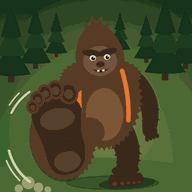
How do I unlock the Sasquatch?
Tap Choose your animal on the start screen. The black bear is free, and the moose, red fox, raccoon, beaver and skunk can each be bought. Own all five and the Sasquatch unlocks automatically, at no extra cost.
I bought an animal but it isn't showing
Open Choose your animal and tap Restore purchases. Make sure you're signed in to the same Apple account you bought it with. Purchases also carry over to your other iPhones and iPads.
There's no sound
- Turn up your device volume.
- Pause the game, tap ⚙️ Settings, and check the Music and Sound effects sliders. Tap Test sound to hear the Sasquatch howl.
- Sound starts after your first tap on the screen.
Can I turn off the music but keep the sound effects?
Yes. In ⚙️ Settings, Music and Sound effects each have their own slider, and vibration can be switched off too.
Does the game need the internet?
No. It plays fully offline. You only need a connection to buy or restore animals.
How do I get a refund?
Purchases are handled by Apple. You can request a refund at reportaproblem.apple.com.